SYONG / kvm

SYONG S-KVM-DP-8K-202 — KVM switch

Model kodi: S-KVM-DP-8K-202

KVM switchDisplayPortUSBKVM

SYONG S-KVM-DP-8K-202 — kvm almashtirgichi. Yetkazib beruvchi katalogida: «8K@60Hz Daul DP KVM Switch – 2 Monitor, 2 Computers». Aniq rejimlar va moslik buyurtmadan oldin kelishiladi.

So‘rov ↗+998 77 161 11 11 ↗
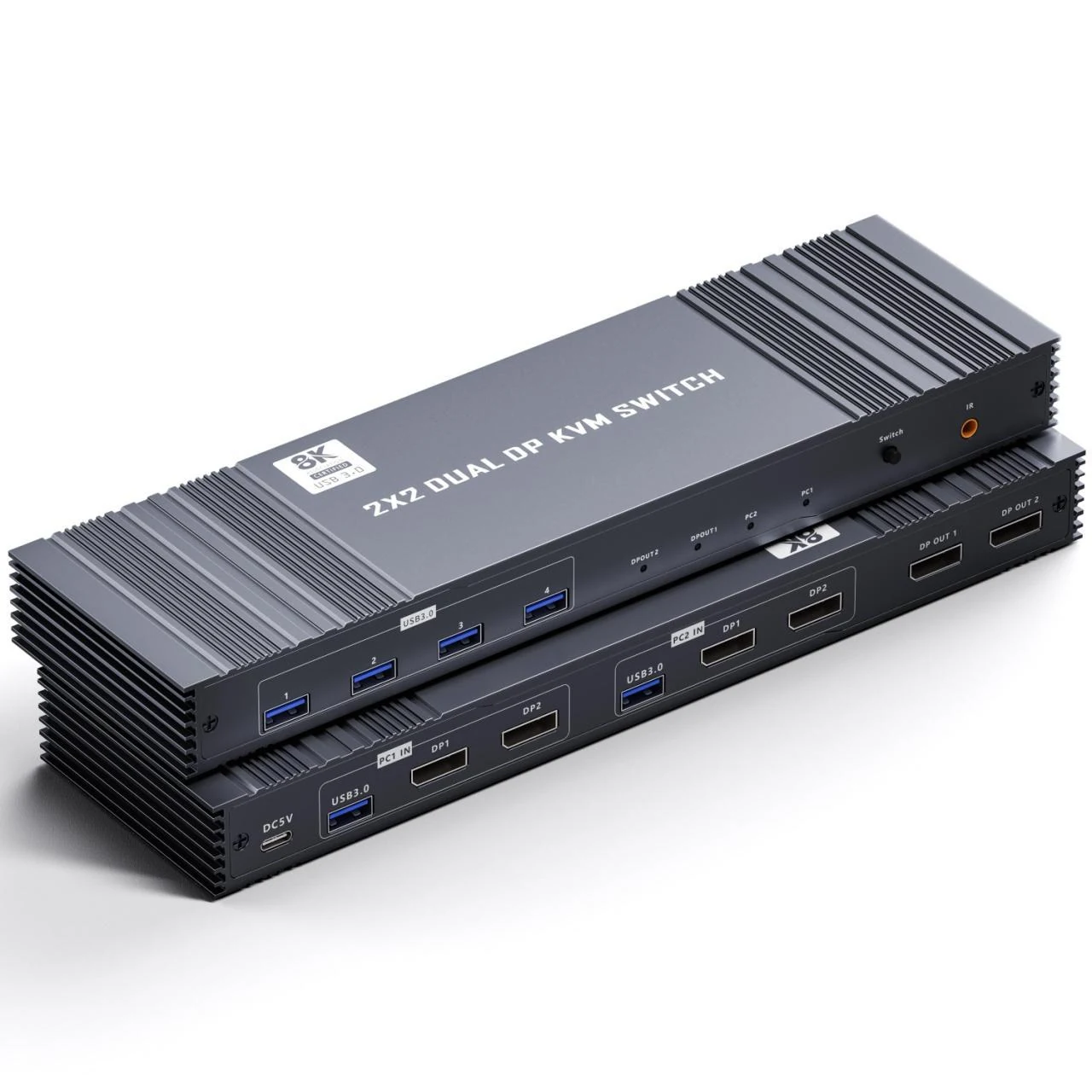
SYONG S-KVM-DP-8K-202 — KVM switch — Yetkazib beruvchi katalogidagi S-KVM-DP-8K-202 fotosurati; to‘plamni aniqlashtiring
Yetkazib beruvchi katalogidagi S-KVM-DP-8K-202 fotosurati; to‘plamni aniqlashtiring · Taqdim etilgan SYONG mahsulot katalogi (28.07.2026), 19-bet
01 / Xususiyatlar
Model kodi
S-KVM-DP-8K-202
Uskuna turi
KVM almashtirgichi
Yetkazib beruvchi nomi (EN)
8K@60Hz Daul DP KVM Switch – 2 Monitor, 2 Computers
Manba katalog beti
19

Taqdim etilgan SYONG mahsulot katalogi (28.07.2026), 19-bet
Hujjat bo‘yicha tekshirildi: 06.11.2026

Katalog taklif so‘rash uchun ma’lumotnoma hisoblanadi. Mavjudlik, ishlab chiqarish holati, uskunaning holati, narx, muddat va kafolat alohida tasdiqlanadi. Artikul ro‘yxatda borligi omborda borligini anglatmaydi.

Yetkazib beruvchi katalogidan tavsif

Tavsif va rasmlar 28.07.2026 sanali SYONG mahsulot katalogidan olingan. Bular yetkazib beruvchi ma’lumotlari, bizning sinov natijalarimiz emas. Aniqlik, chastota, uzatish masofasi, quvvat, moslik va to‘plam rejimga hamda ulangan qurilmalarga bog‘liq; buyurtmadan oldin aniq spetsifikatsiya kelishiladi. Manbadagi ziddiyatli xususiyatlar aniqlashtirilishi kerak. Mavjudlik, narx va kafolat so‘rov bo‘yicha tasdiqlanadi.

Asl tavsifni ochish (inglizcha)

8K@60Hz Daul DP KVM Switch – 2 Monitor, 2 Computers

1. Dual DisplayPort KVM Switch: Control 2 computers with 2 monitors using one keyboard and mouse. Supports Extended or Copy mode. (Requires 2 DisplayPorts per computer; PC must support multiple monitors.)

2. USB 3.0 Ports: 4 USB 3.0 ports for sharing keyboards, mice, printers, scanners, webcams, etc., up to 5Gbps.

3. High Resolution: Supports 4K@144Hz, backward compatible with 1080P and lower. If devices support 8K, it delivers optimal visual quality.

4. Switching Methods: Switch via panel buttons or IR remote.

5. Easy Installation: Plug-and-play, no drivers required. (Each computer must be connected via USB to recognize devices.)